



Kentucky Paystub Maker

If you’re looking for an easy-to-use Kentucky paystub maker, then PayCheck Stub Online has just what you need. What makes our Kentucky paystub maker unique is that it comes with a built-in calculator. That way, you don’t have to do the math. Our Kentucky paystub maker can do all the work for you. It can deduct taxes, insurances, and union contributions (if you have them). Get FREE unlimited previews and a selection of professional templates to choose from.

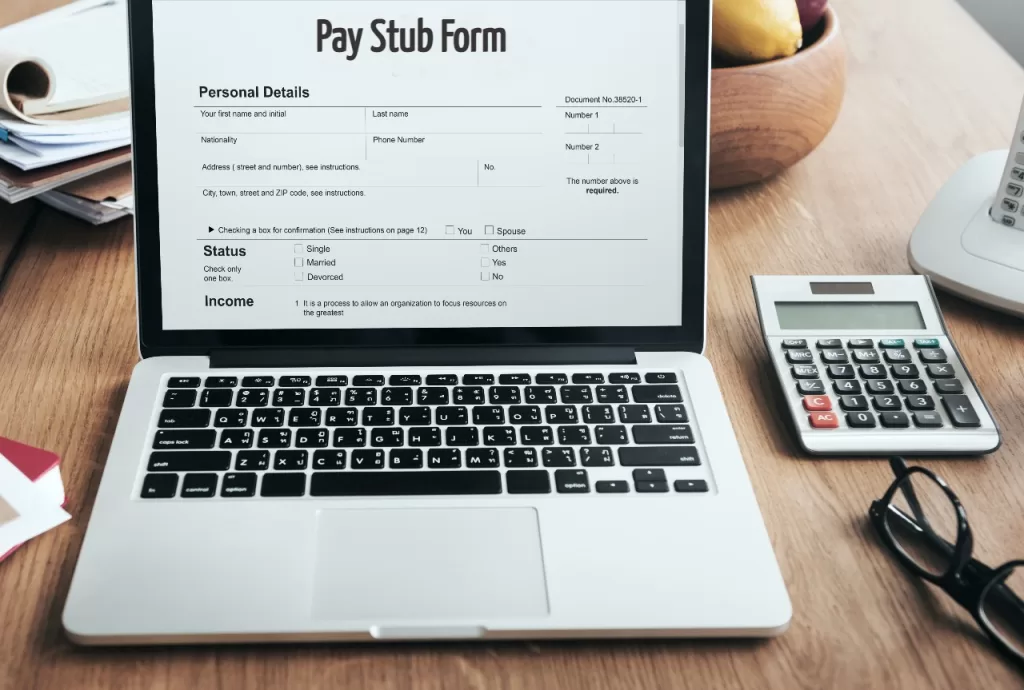
Paystub Form

Why Should You Choose Our Kentucky Paystub Maker?

Accurate

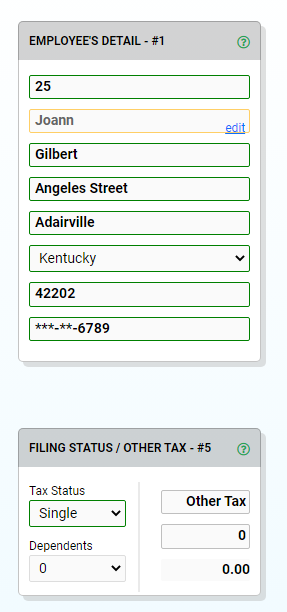
Our Kentucky paystub maker was designed to calculate all your deductions and incentives accurately. It has data for tax brackets for each state in the US, so you just give us the state you’re residing and tax status.

money

Affordable Subscription

At just $7.95, you can get a PDF copy of your generated paystub without a watermark. For as many paystubs you want per session, you can get our Unlimited Pay Stubs plan at $29.99. Check out our pricing plans to know more.

Easy-to-Use

Type in your basic information and salary details on our form. Then, the Kentucky paystub maker will take in all the information you’ve provided and generate it into a professional Kentucky paystub for payroll purposes or proof of income.

Use A Kentucky Paystub Maker For Payroll or Proof Of Income

Kentucky Paystubs for small Business Owners

Though the state of Kentucky only requires businesses with 10 or more employees to provide Kentucky paystubs, providing payroll slips to employees when they receive their wages ensures trust. With our paystub maker, you can avoid the huge costs of paying for an accounting application or a professional accountant. Purchase any of our paystub plans and get accurate, professional Kentucky paystubs at an affordable price.

Proof of Income for Self-Employed Individuals

If you’re planning to apply for a loan or mortgage, any institution will require proof of income. With this, you will need a Kentucky paystub maker to create professional paystubs. Make sure to to provide legitimate personal and salary details on your paystub template and it will generate a check stub for you.

Our Kentucky Paystub Maker Can Deduct Taxes Automatically

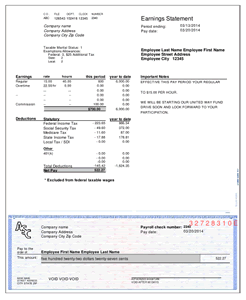
Modern Style PayStub Template form.

It is designed to automatically deduct taxes from the gross income once the user inputs the state they reside in, number of dependents, and tax status. You don’t have to do any addition or subtraction when using our paystub maker. Our Kentucky paystub maker will do it for you when you have the paystub generated.

Know the Kentucky Tax Bracket

If you’re wondering how much the deduction will be when using our Kentucky paystub maker, the tax rate in the state of Kentucky is a flat rate of 5% as per the individual income tax law from the Internal Revenue Code. This has been in effect since December 31, 2018. This law also allows employees to be taxed in their state of residence instead of the state where they earn their wages. That way, residents won’t have to pay double taxes. 

Create a Professional Paystub with Our Kentucky Paystub Maker

Relying on expensive payroll programs might not be efficient for you as a small business entrepreneur. At the same time, making paystubs using Excel might take a lot of your time as a self-employed individual. With this, if you want a more cost-efficient way of making professional paystubs as proof of income or employee payroll, the solution is using our paystub maker. 

Our paystub maker boasts easy-to-use features that will help you create paystubs in 5 minutes or less. It has a built-in calculator, so you don’t have to worry about deducting tax rates and insurances from the gross income. Just type in the details and our system will do all the math. Enjoy FREE unlimited previews and a selection of professional templates. 

Choose from our affordable subscription plans and get a downloadable file of your paystub without a watermark.

People Also Ask About Our Kentucky Paystub Maker

You can use PayCheck Stub Online for free with unlimited previews. It is only when you want to get a PDF copy of your Kentucky paystubs that you will be charged either $7.95 for one-time use or $29.99 for unlimited use per session. We also have other pricing plans for you to choose from.

Yes, you most definitely can make your own  paystub. Just fill out our template and let our Kentucky paystub maker do all the calculations for you. 

If you’re looking for a Kentucky paystub maker with free unlimited previews and affordable pricing for printed paystubs, then PayCheck Stub Online is your best bet. You can also check out Pay Stub Direct

Kentucky pay stub generator — practical guide

Most people land here because they need proof of income fast. The best-looking stubs are the boring ones: consistent dates, clear earnings, and deductions that aren’t a mystery.

In Louisville, Lexington, Bowling Green, the most common requests we see are for rentals, loans, and job onboarding.

How to make it look real and readable

Before you download, sanity-check the pay period and the pay date. Those two fields are what people compare across multiple stubs.

When pay is variable, clarity matters more than length. Separate overtime/bonus from base wages so the reviewer doesn’t have to guess what changed.

Quick checklist before you download

  • If your pay changes often, consider adding a short note line for “rate change” so the stub is self‑explanatory.
  • Keep employer info consistent across stubs — it helps when someone compares them side by side.
  • Use separate lines for deductions vs taxes so totals are easy to audit.

Next: open the generator for a free preview, or review state-by-state requirements if you have a strict checklist. Pricing is here: pricing.

Reminder: always use truthful, accurate information and follow any requestor’s checklist.

Kentucky pay stub FAQ

Do I need an account to preview?
No. You can preview first. Create an account if you want to save drafts or manage multiple stubs more easily.

What do most people check first?
Pay dates/periods, gross vs net, and that deductions are labeled clearly. If you’re hourly, hours × rate should line up with gross pay.

Can I generate multiple pay periods?
Yes. Keep the employer/employee info stable, then update only the dates and the numbers for each period so the set looks consistent.

Do I need to match a specific format?
If a lender/landlord/employer gave you a checklist, follow it. Otherwise, aim for readability: clear labels, consistent dates, and clean totals.